
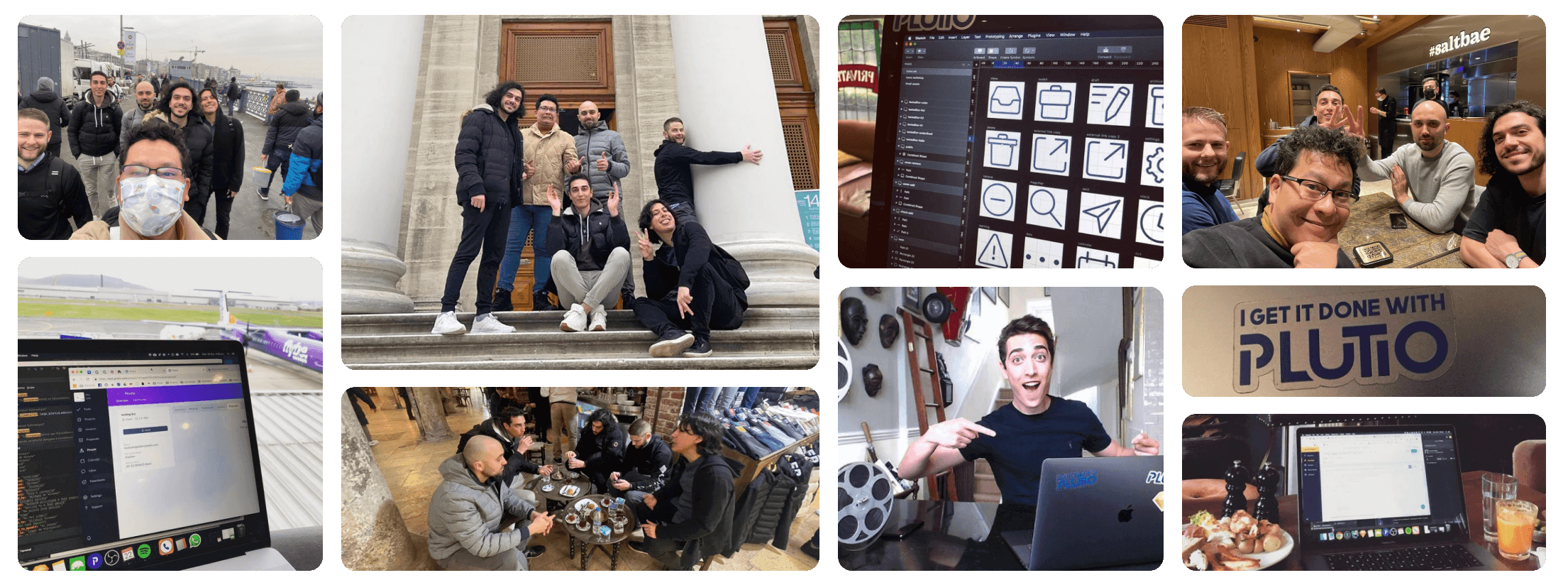




What Plutio actually does
Plutio combines everything you need to run a client-based business into one platform.
Here's what that means in practice. Instead of using Asana for projects, PandaDoc for proposals, FreshBooks for invoices, Toggl for time tracking, Calendly for scheduling, and HubSpot for contacts, you use Plutio for all of it.
Data flows automatically between features:
- Project Management: Kanban boards, Gantt charts, task dependencies, subtasks, recurring tasks, and custom workflows.
- Proposals & Contracts: Create proposals with your branding, add contract terms, send for e-signature. When signed, the project creates automatically with all the deliverables.
- Invoicing: Send invoices in any currency, set up recurring billing, add late fees automatically. When they pay, the payment records to their client profile.
- Time Tracking: Start a timer on any task. When you're done, convert tracked time directly to invoice line items. No spreadsheet gymnastics.
- Client Portal: Your clients get their own login where they see their projects, files, invoices, and messages. It's your brand, your domain, your colors.
- CRM: Manage leads, track deals through your pipeline, and see a complete history of every interaction with each contact.
- Forms & Scheduling: Intake forms, questionnaires, and calendar booking built in. No third-party embedding.
- AI Assistant (Plutio Pal): Help with writing proposals, drafting contracts, planning projects, and composing messages.
The whole point is that data flows between features without you copying and pasting. When a proposal gets signed, you don't recreate the project manually. When you track time, you don't type it into a separate invoice.
Who Plutio is for (and who it's not for)
Plutio works best for people who work directly with clients on projects.
That includes:
- Freelancers who need to send proposals, manage projects, invoice clients, and look professional without hiring a team
- Creative agencies managing multiple clients and team members across different projects
- Consultants who bill for time and need a way to share deliverables with clients
- Coaches and trainers running session-based practices with recurring clients
- Designers and developers handling the full cycle from proposal to final deliverable
- Photographers and videographers who need contracts, galleries, and invoicing in one place
- Marketing agencies juggling retainers, one-off projects, and client reporting
- Virtual assistants and bookkeepers serving multiple clients with different needs
- Event planners coordinating timelines, vendors, and client communication
Plutio users span 100+ countries. Some are solo freelancers, some run 30-person agencies. What they have in common is they're selling services to clients and need one system instead of five.
Who Plutio is NOT for:
- Product companies (e-commerce, SaaS) that don't do client work
- Enterprise teams that need complex compliance and procurement processes
- People who just want a simple to-do list and nothing else
How Plutio started
The short version: Leo got annoyed enough to teach himself to code.
Leo Bassam started freelancing at 15 years old. His first paying client was Dubai International Airport, designing graphics for their terminal displays. By the time he was in college, he was running a full design studio called Loai Design Studio.
Finding clients was never the problem. Managing them was a nightmare.
Every project required:
- Proposals written in Word, emailed back and forth, lost in threads
- Invoices tracked in a spreadsheet that got messier every month
- Projects managed in one app that didn't connect to anything
- Communication scattered across email, Slack, WhatsApp, and text
- Time tracked (sometimes) in yet another app that required manual data entry for invoices
The existing tools were either built for enterprises (expensive, complex, overkill) or too basic to actually run a business. There was nothing in between.
So Leo started building the tool he wished existed. He taught himself to code, worked nights and weekends for two years, and launched Plutio in November 2017.
The response was immediate. No paid ads, just word of mouth from other freelancers who recognized the problem because they lived it too.
Since then, we've grown steadily without taking a dollar of outside funding. We're profitable, we answer to users (not investors), and we're still building the platform Leo would want if he went back to freelancing tomorrow.
Company facts at a glance
The key information journalists, analysts, and curious people usually ask for:
| Company name | Plutio Ltd |
| Founded | November 2017 |
| Founder & CEO | Leo Bassam |
| Headquarters | Remote-first (team across UK, Europe, worldwide) |
| Funding | Bootstrapped, no outside investors |
| Profitability | Profitable since year one |
| Active workspaces | 17,800+ (as of January 2026) |
| Countries served | 100+ |
| Invoices processed | $371+ million lifetime |
| Starting price | $19/month |
| Free trial | 7 days, no credit card required |
| Product category | All-in-one business management platform |
| Primary market | Freelancers, agencies, consultants, small service businesses |
| Main competitors | HoneyBook, Dubsado, Bonsai, Monday.com + other tool stacks |
Need something specific for an article or report? Reach out at press@plutio.com.
Why we're bootstrapped (and staying that way)
We've had opportunities to take funding. We turned them all down. Here's why.
When you take venture capital, your priorities change. You need to grow fast enough to justify a 10x return for investors, and that growth pressure leads to decisions that aren't always good for users:
- Raising prices to hit revenue targets
- Adding features nobody asked for to look competitive in pitch decks
- Cutting support and quality to reduce costs
- Eventually selling the company or going public, which usually means the product gets worse
We don't have those pressures. We've been profitable since year one. Our only job is to make Plutio useful enough that people want to pay for it.
That means:
- We build features users actually want. Our roadmap comes from community feedback, not investor demands.
- We price fairly. We've never done a sudden price hike to hit a fundraising milestone.
- We think long-term. We're building a company to last decades, not a startup to flip in 5 years.
- We stay independent. No one can force us to sell user data or change direction against our will.
Being bootstrapped isn't a limitation. It's a feature. When you pay for Plutio, you're the customer, not the product.
What we believe
The principles that shape how we build Plutio:
One tool beats many tools
The software industry loves selling you one feature for $20/month, then telling you to connect it to five other $20/month tools with Zapier. We think that's a terrible experience. If a feature belongs in your workflow, it should be built into your platform, connected by default, not bolted on as an afterthought.
Simple is harder than complex
Making features that people can use without reading documentation is hard. Enterprise software is built to impress CTOs in demo meetings. We build for the freelancer who just wants to send an invoice without watching a training video. If something needs explanation, we haven't finished building it.
Your clients should see your brand, not ours
When a client receives a proposal, views an invoice, or logs into their portal, they should see your logo, your colors, and your domain. Even if you're a solo freelancer working from your kitchen, your clients should think you run a professional operation with a real team behind it.
The people using the product should shape it
Every major feature in Plutio exists because users asked for it. Our roadmap is public. Community members vote on priorities. We don't build features to check boxes on comparison charts; we build features because real users have real problems.
Profitability is a feature
Being profitable means we don't need to compromise. We don't need to raise prices to make payroll. We don't need to sell user data to advertisers. We don't need to shut down if we don't hit growth targets. Profitability gives us freedom to make the right decisions.
Plutio Pal (your AI assistant)
We added AI to Plutio because it cuts hours off repetitive tasks like writing proposals and drafting contracts.
Plutio Pal is built into the platform. It's not a separate product or an expensive add-on. Every plan includes AI credits.
What it actually helps with:
- Writing proposals: Tell it about the project and client, and it drafts a proposal you can edit. What used to take 30 minutes takes 5.
- Drafting contracts: Generates contract language based on your project type. You review and customize.
- Planning projects: Describe what needs to happen, and it creates a task list with suggested timelines.
- Composing messages: Helps write professional emails to clients when you're not sure how to phrase something.
- Summarizing: Condenses long email threads or meeting notes into action items.
It works with context. Plutio Pal can see your project details, client history, and past work, so suggestions aren't generic. It's trained to help with freelance and agency workflows specifically.
We're not trying to replace your judgment. You still make the decisions. Plutio Pal handles the first drafts and busy work so you can focus on the actual work.
Security and privacy
Your data is your business. We protect it and we don't monetize it.
Here's exactly what we do:
- Encryption in transit: All data between your browser and Plutio uses TLS 1.3 encryption.
- Encryption at rest: Data stored in our databases and backups is encrypted at rest.
- Infrastructure: The app runs on Google Cloud in London (europe-west2), the database on MongoDB Atlas with automated, encrypted backups, and files on Amazon S3.
- GDPR compliant: Our data processing agreement covers every workspace, with breach notice within 48 hours, export for 30 days after an account ends, and deletion on request.
- No data selling: We never sell or monetize your data; it is processed only by the sub-processors we list publicly.
- No AI training on your data: We don't use your client data to train AI models.
- Payment security: Payments processed through Stripe, PayPal, and Square. We never store credit card numbers.
We don't show ads, we don't track you across the web, and we don't sell your contact list to anyone. Your business data stays yours.
How we think about pricing
We price Plutio so that it's a no-brainer compared to the alternative.
The alternative is usually something like this:
- Asana or Monday.com for projects: $10-20/month
- PandaDoc or Proposify for proposals: $19-49/month
- FreshBooks or Wave for invoicing: $15-25/month
- Toggl for time tracking: $10-18/month
- Calendly for scheduling: $10-15/month
- HelloSign for contracts: $15-25/month
That's $80-150/month for a stack of tools that don't talk to each other. Add Zapier to glue them together and you're at $100-200/month total.
Plutio starts at $19/month. You get all of those features in one platform, working together from day one.
Our pricing structure:
- Core ($19/month): Everything you need to run a solo practice. 9 active clients, full features, AI credits included.
- Pro ($49/month): Unlimited clients, team collaboration with 30 contributors, more AI credits and automations.
- Max ($199/month): Unlimited contributors, 10,000 AI credits, 50,000 automation actions, 2 TB storage, white-label and single sign-on included.
Every plan starts with a 7-day free trial, no credit card required.
We've never done a sudden price increase. We've never taken features away and charged extra for them. We don't plan to start.
Support and getting help
When you have a problem, you talk to real people who actually know the product.
Our support team includes people who have freelanced or run agencies themselves. They understand the context of what you're trying to do, not just how to click buttons.
How to get help:
- In-app chat: Click the chat icon in Plutio. Real humans respond during business hours (UK time), with most tickets answered within 2-4 hours.
- Help center: Searchable documentation with guides, tutorials, and how-tos at help.plutio.com.
- Community: The Facebook group has 5,000+ users who help each other with workflows and questions.
- Email: support@plutio.com for anything that needs more detail.
We don't have tiered support where you pay more for faster responses. Everyone gets access to real support. Leo still answers tickets sometimes.
For getting started, we have:
- Onboarding guides: Step-by-step setup instructions in the app
- Video walkthroughs: Quick videos for each major feature
- Webinars: Live sessions where you can ask questions
- Setup consultations: One-on-one calls available for Pro and Max plans
The Plutio community
5,000+ freelancers, agency owners, and small business operators helping each other.
The Plutio Facebook group is where users share how they've set things up, ask questions, and help each other get more from the platform.
What happens in the community:
- Workflow sharing: People post their automations, proposal templates, and client onboarding processes. You can copy what works.
- Feature requests: The community votes on what gets built next. Popular requests move up the roadmap.
- Direct feedback: Leo and the team respond to questions and suggestions. It's not a black hole.
- Beta testing: Community members get early access to new features before they launch.
- Industry discussions: Conversations about freelancing, running an agency, pricing strategies, and business growth.
We don't have a big marketing budget. Most new users come from referrals and word-of-mouth from community members who recommend Plutio to other freelancers and agencies. That's how we prefer it.
How we build (and how fast)
Every feature in Plutio exists because users asked for it. We ship continuously rather than in big seasonal releases.
Our development process:
- User-driven roadmap: Features are prioritized based on community requests, support tickets, and usage data.
- Public roadmap: Anyone can see what's being worked on at plutio.com/roadmap.
- Continuous releases: Bug fixes and improvements go out as they are ready. We don't batch things up for quarterly releases.
- Beta program: Larger features are tested with real users before full release, which catches problems early.
- Changelog: Notable updates are published at plutio.com/changelog.
The distance between "user suggests feature" and "feature ships" is short. We don't have layers of product managers, committees, and quarterly planning cycles.
We don't add features to check boxes on comparison charts. If a feature doesn't solve a real problem, we skip it. That's why Plutio has depth in the features it has, rather than a shallow version of everything.
What Plutio connects to
Plutio has native integrations with the tools you're probably already using.
Payments:
- Stripe (credit cards, bank transfers)
- PayPal (invoices and payments)
- Square (card processing)
Calendar & Meetings:
- Google Calendar (changes sync both directions)
- Outlook Calendar
- Zoom (auto-create meeting links)
- Google Meet
Accounting:
- FreshBooks
- Xero
Communication:
- Gmail
- Outlook
Storage:
- Google Drive (import files when uploading)
Automation:
- Zapier (connects to 5,000+ apps)
- Make (formerly Integromat)
For tools without native integrations, Zapier lets you connect Plutio to almost anything. Our API is also available for custom integrations.
How we compare to other tools
We write honest comparison pages. Here's the summary.
Our comparison pages explain the actual differences, not marketing spin. We tell you when competitors are better at something.
Plutio vs. HoneyBook:
HoneyBook is great for client communication and automated workflows. Plutio has stronger project management (Kanban, Gantt, dependencies) and more white-labeling options. HoneyBook is simpler; Plutio has more depth. Full comparison
Plutio vs. Dubsado:
Dubsado has extensive automation with multi-step workflows and conditional logic. Plutio has better project management and a cleaner interface with a faster learning curve. Dubsado is more complex; Plutio is more approachable. Full comparison
Plutio vs. Bonsai:
Bonsai focuses on contracts, proposals, and accounting (including tax prep). Plutio has full project management, client portals, and team collaboration. Bonsai is great for solo freelancers focused on the financial side; Plutio covers more ground. Full comparison
Plutio vs. Monday.com:
Monday.com is a project management tool built for internal teams with complex workflows. Plutio is built for client-facing businesses and includes proposals, invoicing, and client portals that Monday.com doesn't have. Full comparison
The team
Plutio is built by a small, distributed team of people who understand the problem firsthand.
We're remote-first and have been since day one. Team members work from the UK, Europe, and other regions. There's no central office because we don't need one.
What makes our team different:
- Practitioners: Most of our team has freelanced or run agencies themselves. We understand what you're dealing with because we've dealt with it.
- Small and focused: We stay lean so we can move fast. No layers of management between ideas and execution.
- Direct communication: Users can talk directly to the people building the product. Leo still responds to support tickets and community posts.
- Long-term thinking: No investors means no pressure to grow at all costs. We can take our time and build things right.
We're not trying to become a huge company. We're trying to build a great product for a specific group of people. Staying small helps us stay good.
Timeline and milestones
From side project to 17,800+ businesses, without outside funding.
| 2015 | Leo starts building Plutio while running his design studio |
| November 2017 | Soft launch generates $250,000 in sales in the first week |
| 2018 | 1,000 paying customers. Adds time tracking and contracts. |
| 2019 | Launches client portal, custom domains, and white-labeling |
| 2020 | 5,000 workspaces. Adds Gantt charts and task dependencies. |
| 2021 | 10,000 workspaces. Launches recurring invoicing. |
| 2022 | Adds scheduling, forms, and expanded integrations |
| 2023 | 15,000 workspaces. Crosses $300M+ in invoices processed. |
| 2024 | Launches Plutio Pal (AI assistant). Reaches $334M+ in processed invoices. |
| 2025-2026 | 17,800+ active workspaces. Continued growth, still bootstrapped. |
Every milestone was reached without venture capital. We've roughly doubled every 2-3 years, from 1,000 customers in 2018 to 17,800 in 2026, because we never needed to chase unsustainable metrics to impress investors.
Why people switch to Plutio
The patterns we see from users who switched from other tools:
- Tool fatigue: They were paying $100-200/month for 5+ separate tools (Asana, PandaDoc, FreshBooks, Toggl, Calendly, etc.) and wanted everything in one place for less money.
- White-labeling: Other tools showed their own branding to clients. Plutio lets you use your own domain, logo, and colors.
- Client portal: They needed a place where clients could log in, see project status, download files, and pay invoices without constant email updates.
- Real project management: Other client management tools had basic task lists. They needed Kanban boards, Gantt charts, dependencies, and custom workflows.
- Complexity fatigue: Enterprise tools like Monday.com or Salesforce were too complex and expensive for their team size.
- Growing pains: They started with simple tools but outgrew them as their business scaled.
On average, users switching to Plutio replace 4-6 separate apps and save $50-100/month in subscriptions.
Resources for freelancers and agencies
Free tools and content whether you use Plutio or not.
Free Tools:
- Invoice Generator: Create professional invoices without signing up
- Contract Generator: Generate freelance contracts with customizable terms
- Freelance Rate Calculator: Figure out what to charge
- Freelance Tax Calculator: Estimate quarterly taxes
- Profit Margin Calculator: Understand your actual margins
Content:
- Blog: Articles on freelancing, running an agency, and business growth
- Freelancer Magazine: In-depth guides and interviews
- Customer Stories: How real businesses use Plutio
We create these resources because they're useful. If you find something helpful, great. If you eventually want to try Plutio, even better.
Press and media
Information for journalists, bloggers, and anyone writing about Plutio.
Quick facts for articles:
- Founded November 2017 by Leo Bassam
- 17,800+ active workspaces across 100+ countries
- $371+ million in paid invoices through the platform
- Bootstrapped and profitable (no venture capital)
- Pricing starts at $19/month
- All-in-one platform for freelancers and agencies
Brand assets:
Download logos, screenshots, and brand guidelines from our brand page.
Interview requests:
Leo Bassam does interviews about Plutio, bootstrapping, the freelance economy, and building software for small businesses. Contact press@plutio.com.
Product reviews:
We're happy to provide press accounts for reviewers. Reach out and we'll set you up.
How to reach us
Different ways to get in touch depending on what you need:
- Support: support@plutio.com or in-app chat
- Sales questions: sales@plutio.com
- Partnerships: partners@plutio.com
- Press inquiries: press@plutio.com
- Security reports: security@plutio.com
- Community: Facebook Group
- Twitter: @plutio
We read everything. Response times are usually within 24 hours for support, faster during UK business hours.

